
Machine Skill Claude Skill
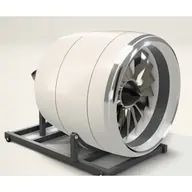
Creates interactive 3D machine explanations in standalone HTML, with small physics models and optional video capture.
Published by AirsupHQAirsupHQ/machine-skill
What you are opening
Use a machine brief to guide a browser simulation with named parts, cutaways and controls. Computed readouts depend on the generated model and assumptions; this is educational visualization, not engineering validation.
How to set it up
- Clone the whole pinned repository into your client’s skills directory.
- Ask for an interactive machine explanation and check dimensions, assumptions and sources.
- Open the produced HTML in a browser; use the bundled recording script only if you need a film.
Requirements and third-party terms
A coding agent and a modern WebGL browser. Generated scenes use Three.js; optional HDRI loads from Poly Haven under the asset’s terms. Recording requires Node and FFmpeg; optional music has its own attribution requirements. Keep the full repository as the skill folder.
Before you add it
- Read the instructions and review any scripts before running them.
- Check tool access, required credentials and third-party network requests.
- The source license and any resource-specific terms take precedence.